Get Prepared for Your MD-100 Exam With Actual 345 Questions [Q198-Q216]

Rate this post

Get Prepared for Your MD-100 Exam With Actual 345 Questions

Valid MD-100 Test Answers Full-length Practice Certification Exams

NO.198 Your network contains an Active Directory domain. The domain contains three computers named Computer1, Computer2, and Computer3 that run Windows 10. The computers are on the same network and have network connectivity.
Windows Defender Firewall on Computer1 has the server-to-server connection security rule shown in the following table.

Windows Defender Firewall on Computer2 has the server-to-server connection security rule shown in the following table.

Windows Defender Firewall on Computer3 has the server-to-server connection security rule shown in the following table.

All the connection security rules are enabled and configured to use only the Computer (Kerberos VS) authentication method.
For each of the following statements, select Yes if the statement is true. Otherwise, select No.
NOTE: Each correct selection is worth one point.

NO.199 Note: This question is part of a series of questions that present the same scenario. Each question in the series contains a unique solution that might meet the stated goals. Some question sets might have more than one correct solution, while others might not have a correct solution.
After you answer a question in this section, you will NOT be able to return to it. As a result, these questions will not appear in the review screen.
You have a computer that runs Windows 10. The computer contains a folder. The folder contains sensitive data.
You need to log which user reads the contents of the folder and modifies and deletes files in the folder.
Solution: From the properties of the folder, you configure the Auditing settings and from the Audit Policy in the local Group Policy, you configure Audit system events.
Does this meet the goal?


NO.200 You have a computer named Computer 1 that runs Windows 10.
You turn on System Protection and create a restore point named Point1.
You perform the following changes:
* Add four files named File1.txt, File2.dll, File3.sys, and File4.exe to the desktop.
Run a configuration script that adds the following four registry keys:
– Key1 to HKEY_CURRENT_USER
– Key2 to HKEY_CLASSES_ROOT
– Key3 to HKEY_LOCAL_MACHINESYSTEM
– Key4 to HKEY_CURRENT_CONFIG
You restore Point1.
Which files and registry keys are removed? To answer, select the appropriate options in the answer area.
NOTE: Each correct selection is worth one point.

NO.201 Please wait while the virtual machine loads. Once loaded, you may proceed to the lab section. This may take a few minutes, and the wait time will not be deducted from your overall test time.
When the Next button is available, click it to access the lab section. In this section, you will perform a set of tasks in a live environment. While most functionality will be available to you as it would be in a live environment, some functionality (e.g., copy and paste, ability to navigate to external websites) will not be possible by design.
Scoring is based on the outcome of performing the tasks stated in the lab. In other words, it doesn’t matter how you accomplish the task, if you successfully perform it, you will earn credit for that task.
Labs are not timed separately, and this exam may more than one lab that you must complete. You can use as much time as you would like to complete each lab. But, you should manage your time appropriately to ensure that you are able to complete the lab(s) and all other sections of the exam in the time provided.
Please note that once you submit your work by clicking the Next button within a lab, you will NOT be able to return to the lab.
Username and password

Use the following login credentials as needed:
To enter your password, place your cursor in the Enter password box and click on the password below.
Username: Contoso/Administrator
Password: Passw0rd!
The following information is for technical support purposes only:
Lab Instance: 10921597
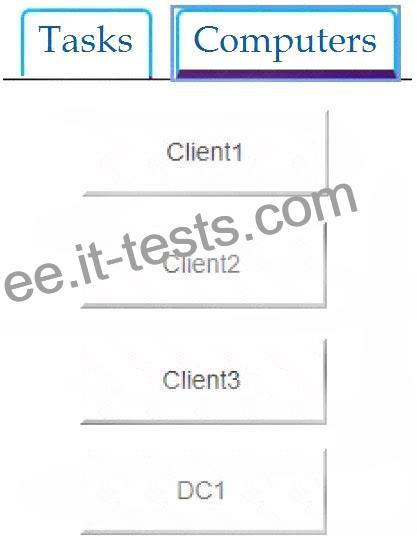
You need to ensure that a local user named User1 can establish a Remote Desktop connection to Client2.
To complete this task, sign in to the required computer or computers.

NO.202 You have a computer named Computer1 that runs Windows 10. Computer1 is in a workgroup.
Computer1 contains the local users shown in the following table.

You create a folder named Folder1 that has the permissions shown in the following table.

You create a file named File1.txt in Folder1 and allow Group2 Full control permissions to File1.txt.
For each of the following statements, select Yes if the statement is true. Otherwise, select No.
NOTE: Each correct selection is worth one point.

NO.203 You have a computer named Computer1 that runs Windows 10. Computer1 has an IP address of 10.10.1.200 and a subnet mask of 255.255.255.0.
You configure the proxy settings on Computer1 as shown in the following exhibit.

Use the drop-down menus to select the answer choice that completes each statement based on the information presented in the graphic.
NOTE: Each correct selection is worth one point.

NO.204 You have a computer named Computer1 that runs Windows 10. Computer1 is in a workgroup.
Computer1 contains the folders shown in the following table.

On Computer1, you create the users shown in the following table.

User1 encrypts a file named File1.txt that is in a folder named C:Folder1.
What is the effect of the configuration? To answer, select the appropriate options in the answer area.
NOTE: Each correct selection is worth one point.

NO.205 You need to implement a solution to configure the contractors’ computers.
What should you do? To answer, select the appropriate options in the answer area.
NOTE: Each correct selection is worth one point.

NO.206 You have 15 computers that run Windows 10. Each computer has two network interfaces named Interface1 and Interface2.
You need to ensure that network traffic uses Interface1, unless Interface1 is unavailable.
What should you do?


NO.207 Note: This question is part of a series of questions that present the same scenario. Each question in the series contains a unique solution that might meet the stated goals. Some question sets might have more than one correct solution, while others might not have a correct solution.
After you answer a question in this section, you will NOT be able to return to it. As a result, these questions will not appear in the review screen.
You have two computers named Computer1 and Computer2 that run Windows 10.
You have an Azure Active Directory (Azure AD) user account named [email protected] that is in the local Administrators group on each computer.
You sign in to Computer1 by using [email protected].
You need to ensure that you can use Event Viewer on Computer1 to connect to the event logs on Computer2.
Solution: On Computer2, you run the winrm quickconfig command.
Does this meet the goal?


NO.208 You have a workgroup computer named Computer1 that runs Windows 10 and has the users shown in the following table.

You have a file named File1.reg that contains the following content.

You need to identify what occurs when User1 and User2 double-click File1.reg.
What should you identify? To answer, select the appropriate options in the answer area.
NOTE: Each correct selection is worth one point.

NO.209 You have a Microsoft Azure Active Directory (Azure AD) tenant named contoso.com that contain the users shown in the following table.

You have a computer named Computer1 that runs Windows 10.

User1 joins Computer1 to Azure AD by using [email protected].
For each of the following statements, select Yes if the statement is true. Otherwise, select No.
NOTE: Each correct selection is worth one point.

NO.210 Which users can create a new group on Computer3?


NO.211 You have a computer named LON-CL1.Adatum.com that runs Windows 10.
From Event Viewer, you create a custom view named View1 that has the following filter:
* User: User1
* Logged: Any time
* Event logs: System
* Computer: LON-CL1
* Event IDs: 10000 – 11000
* Event level: Error, Verbose
You open Event Viewer and discover the event shown in the exhibit. (Click the Exhibit tab.)

The event does not appear in View1.
You need to ensure that the event appears in View1.
What should you do?


NO.212 Your network contains an Active Directory domain. The domain contains 100 computers that run Windows 10.
You need to configure the computers to send the error events in the System log to a computer named Computer1 that runs Windows 10.
What should you do? To answer, select the appropriate options in the answer area.
NOTE: Each correct selection is worth one point.

NO.213 You need to Windows 10 to 20 new laptops.
The laptops will be recommend a solution to lock the laptop when the users leave their laptop for an extended period.
Which two actions should you include in the recommendation? Each correct answer presents part of the solution.
NOTE: Each correct selection is worth one point.


NO.214 Please wait while the virtual machine loads. Once loaded, you may proceed to the lab section. This may take a few minutes, and the wait time will not be deducted from your overall test time.
When the Next button is available, click it to access the lab section. In this section, you will perform a set of tasks in a live environment. While most functionality will be available to you as it would be in a live environment, some functionality (e.g., copy and paste, ability to navigate to external websites) will not be possible by design.
Scoring is based on the outcome of performing the tasks stated in the lab. In other words, it doesn’t matter how you accomplish the task, if you successfully perform it, you will earn credit for that task.
Labs are not timed separately, and this exam may more than one lab that you must complete. You can use as much time as you would like to complete each lab. But, you should manage your time appropriately to ensure that you are able to complete the lab(s) and all other sections of the exam in the time provided.
Please note that once you submit your work by clicking the Next button within a lab, you will NOT be able to return to the lab.
Username and password

Use the following login credentials as needed:
To enter your password, place your cursor in the Enter password box and click on the password below.
Username: Contoso/Administrator
Password: Passw0rd!
The following information is for technical support purposes only:
Lab Instance: 10921597

You need to connect to your company’s network and create a VPN connection on Client2 named VPN1 that meets the following requirements:
VPN1 must connect to a server named vpn.contoso.com.
Only traffic to your company’s network must be routed through VPN1.
To complete this task, sign in to the required computer or computers.

NO.215 Your company uses Microsoft Deployment Toolkit (MDT) to deploy Windows 10 to new computers.
The company purchases 1,000 new computers.
You need to ensure that the Hyper-V feature is enabled on the computers during the deployment.
What are two possible ways to achieve the goal? Each correct answer presents part of the solution.
NOTE: Each correct selection is worth one point.


NO.216 Your network an Active Directory domain named adatum.com. The domain contains 50 computers that runs Windows 8.1. The computer has locally installed desktop application that are compatible with Windows 10.
You need to upgrade the computers to windows 10, The solution must preserver the locally installed desktop applications.
Solution. You use System image manager (Windows SIM) to create an answer file. You use Windows Deployment Service (WDS) to add an install image. You start each computer by using PXE, and then install the image.
Does this meet the goal?


Accurate & Verified 2023 New MD-100 Answers As Experienced in the Actual Test!: https://www.it-tests.com/MD-100.html


Related Links: www.stes.tyc.edu.tw www.stes.tyc.edu.tw myportal.utt.edu.tt www.stes.tyc.edu.tw learn.csisafety.com.au www.stes.tyc.edu.tw